Dependencies & Access Tracking
EnvManager automatically detects relationships between variables that use the ${VAR} reference syntax. The Dependencies panel shows you which variables depend on each other, warns you before making breaking changes, and tracks access activity.
Variable Dependencies
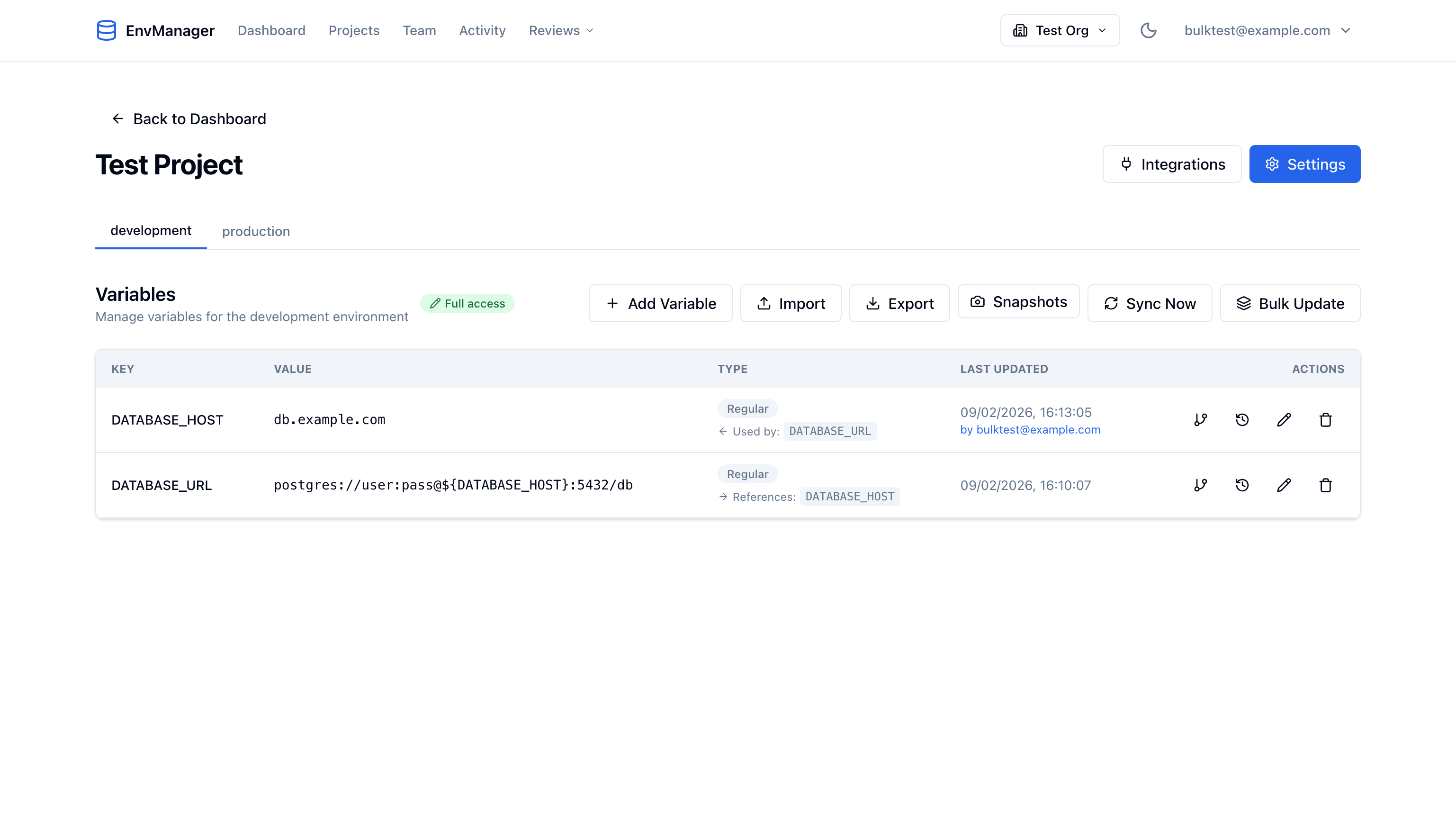
When a variable's value contains a reference like ${DATABASE_HOST}, EnvManager tracks this relationship. The variable table shows reference badges directly in the Type column:
- References: KEY — This variable uses another variable's value
- Used by: KEY — Other variables depend on this variable's value
Viewing the Dependencies Panel
Click the Dependencies icon (link icon) in any variable's action buttons to open the Dependencies panel.
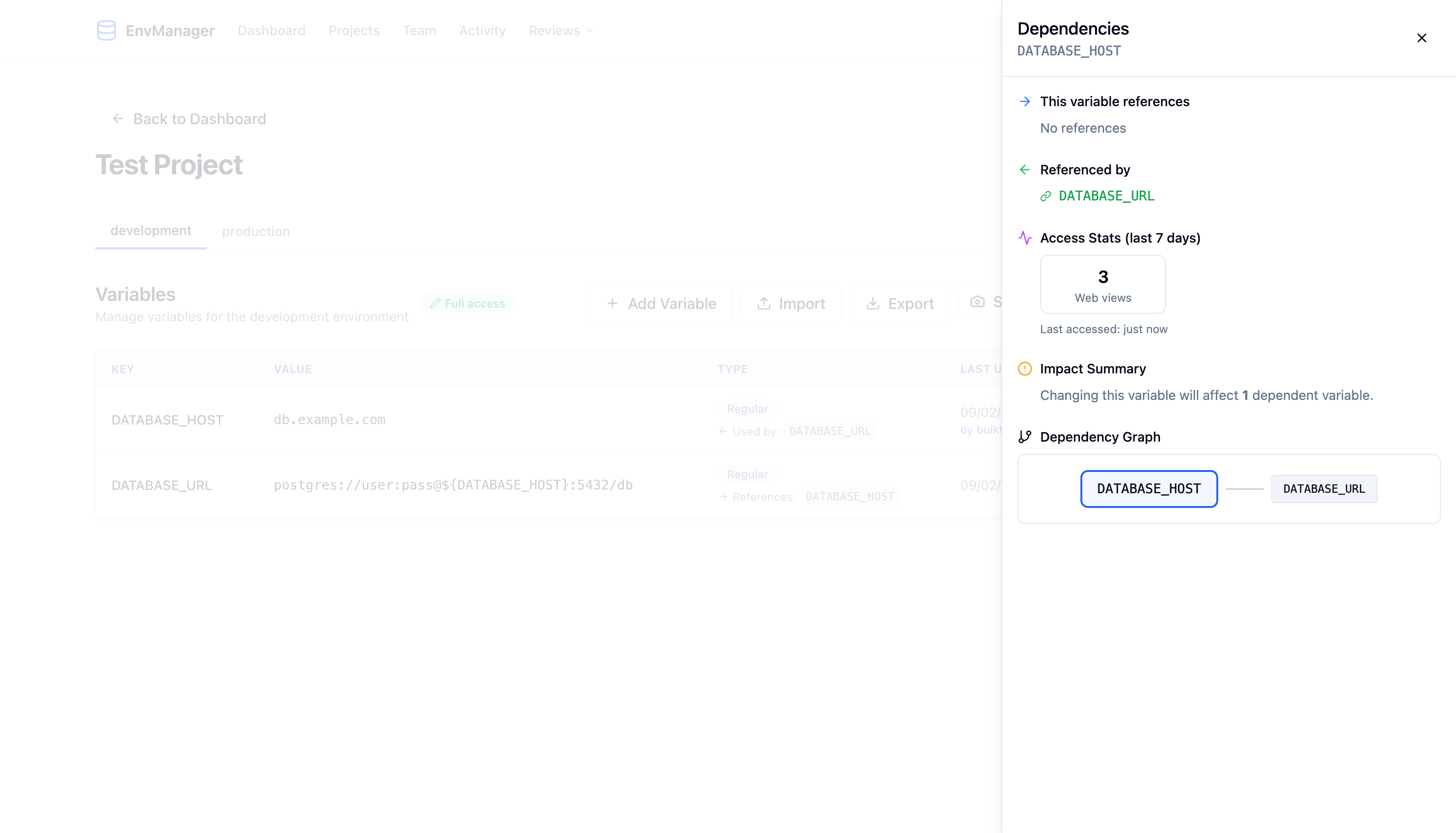
The panel shows four sections:
This Variable References
Lists all variables that this variable uses in its value via ${VAR} syntax. If the variable doesn't reference any others, it shows "No references."
Referenced By
Lists all variables that depend on this variable. Click any variable name to scroll to it in the table.
Access Stats
Shows access activity for the last 7 days:
- Web views — How many times the variable was viewed in the dashboard
- CLI pulls — How many times the variable was pulled via the CLI
- Decryptions — How many times a secret value was decrypted
- Last accessed — When the variable was last accessed
- Unique users — How many different users accessed it
Impact Summary
If other variables reference this one, the impact summary shows how many dependent variables would be affected by a change.
Dependency Graph
A visual diagram showing the variable's relationships:
- The selected variable is displayed in the center
- Variables it references appear on the left
- Variables that reference it appear on the right
- Circular references are highlighted with a red border
Impact Analysis
When you try to edit or delete a variable that other variables depend on, EnvManager shows an Impact Analysis warning before proceeding.
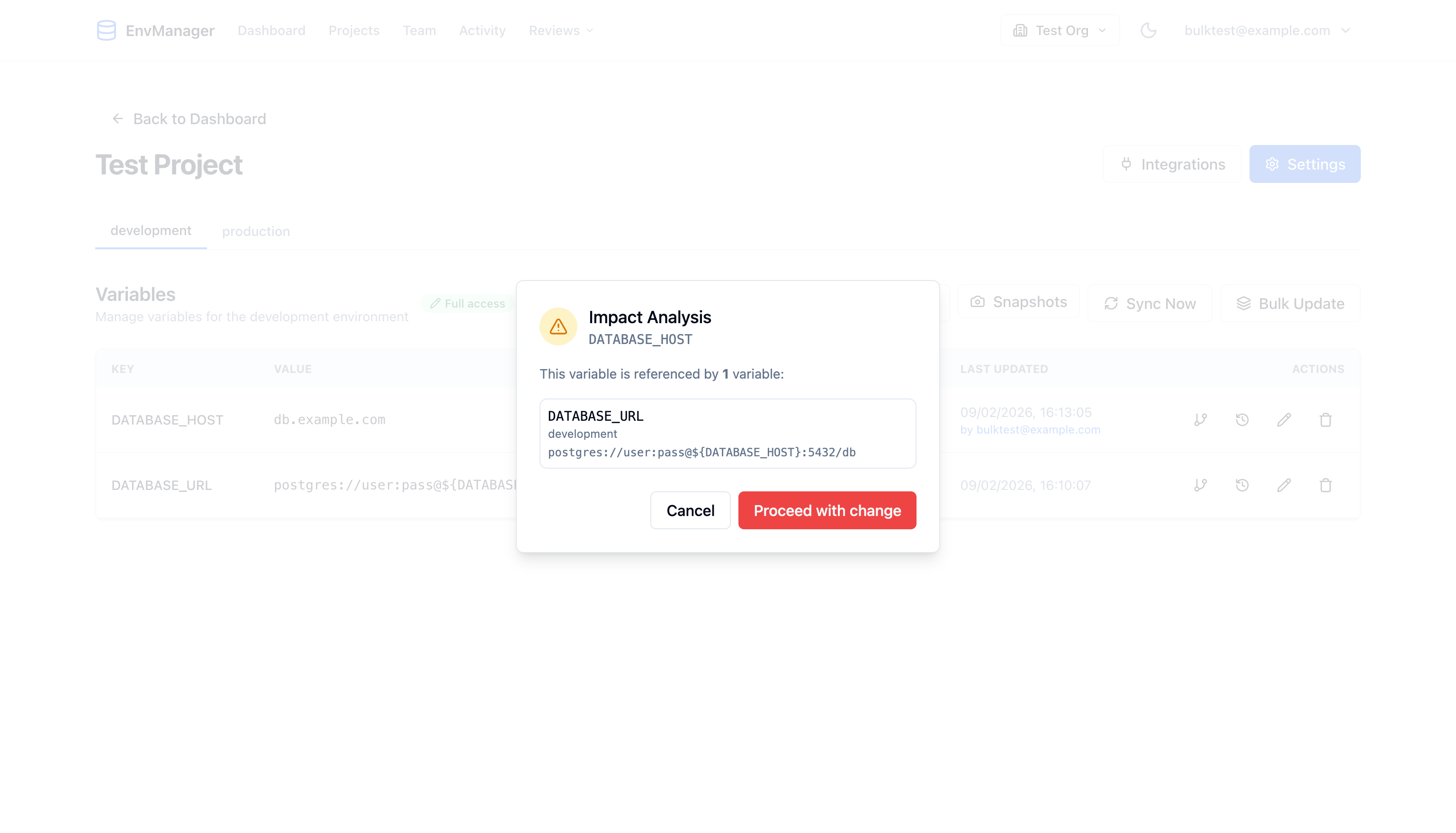
The modal shows:
- How many variables will be affected
- Each affected variable with its environment and the reference pattern it uses
- Cancel to go back, or Proceed with change to continue editing
This prevents accidental breaking changes — you always know the full impact before modifying a referenced variable.
Access Tracking
EnvManager automatically logs access to your variables across all channels:
| Access Type | When It's Logged |
|---|---|
| Web view | When you load a project's variables in the dashboard |
| Web decrypt | When you reveal a secret variable's value |
| CLI pull | When you run envmanager pull to fetch variables |
Access data is retained for reporting and appears in the Dependencies panel's Access Stats section. Tracking is automatic — you don't need to enable anything.