Naming Conventions
As your team and project count grow, inconsistent variable naming becomes a real problem. One project uses DATABASE_URL, another uses databaseUrl, and a third uses db-url. Naming conventions let you define and enforce consistent rules so every variable follows the same pattern.
Why Enforce Naming Conventions?
Consistent naming helps your team in several ways:
- Readability — Everyone knows what to expect when they see a variable name
- Searchability — Consistent patterns make it easier to find variables
- Fewer mistakes — Rules catch typos and non-standard names before they're saved
- Onboarding — New team members learn the conventions from the validation feedback itself
How It Works
Naming conventions work at two levels:
| Level | Where to Configure | Scope |
|---|---|---|
| Organization | Organization Settings > Naming Conventions | Applies to all projects in the organization |
| Project | Project Settings > Naming Conventions | Overrides organization rules for a specific project |
Project-level rules take priority. If a project has its own naming conventions configured, the organization defaults are ignored for that project.
Configuring Naming Conventions
Organization Level
Organization-wide rules are configured by admins in the organization settings under the Naming Conventions tab. These rules apply as the default for all projects.
Project Level
To set project-specific rules:
Open Project Settings
Navigate to your project and click Settings in the top-right corner.
Find the Naming Conventions Section
Scroll down to the Naming Conventions section.
Enable the Override
Check Override organization defaults to enable project-specific rules. The configuration form appears with templates, enforcement mode, and case convention options.
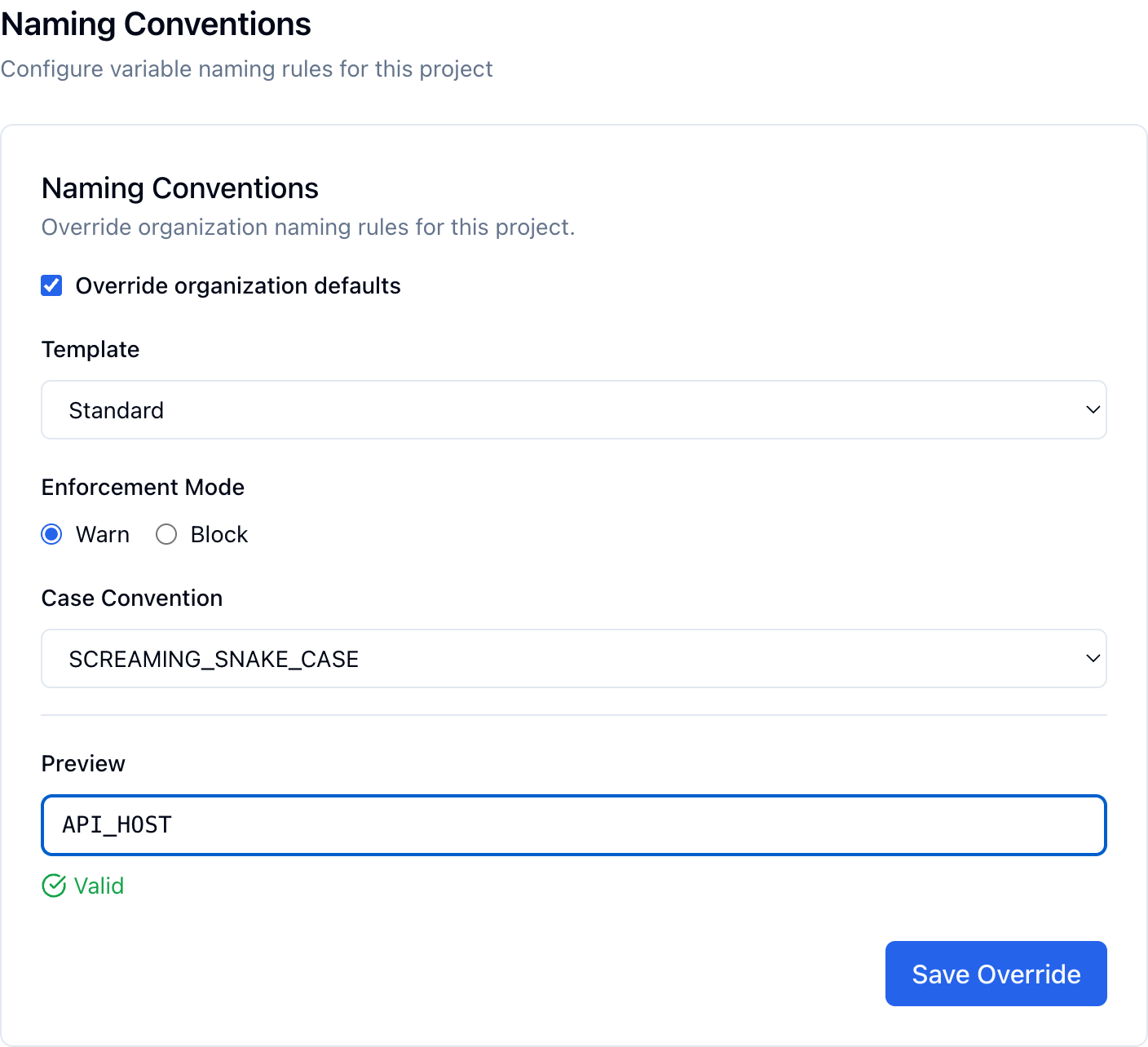
The naming conventions form with the Standard template configured and a valid name in the preview.
Choose a Template or Customize
Select a pre-built template to get started quickly, or use Custom to define your own rules:
| Template | Case Convention | Description |
|---|---|---|
| Standard | SCREAMING_SNAKE_CASE | The most common convention for environment variables |
| Next.js | SCREAMING_SNAKE_CASE | Includes required NEXT_PUBLIC_ prefix pattern for client-side variables |
| Vite | SCREAMING_SNAKE_CASE | Includes required VITE_ prefix pattern |
| Strict | SCREAMING_SNAKE_CASE | Standard rules plus forbidden patterns (e.g., no password, secret as standalone names) |
| Custom | Any | Define your own case convention, patterns, and forbidden rules |
Set Enforcement Mode
Choose how strictly rules are applied:
- Warn — Shows a warning when a name doesn't match the rules, but still allows saving
- Block — Prevents saving variables with non-compliant names
Test with the Preview
Use the Preview field to test variable names against your rules before saving. Type a name to see instant validation feedback.
Save Your Rules
Click Save Override (project level) or Save Rules (organization level) to apply the conventions.
Validation Feedback
When naming conventions are active, validation happens in several places:
| Location | What Happens |
|---|---|
| Add/Edit variable form | Name is validated as you type; warnings or blocks appear before saving |
| Import | Imported variable names are checked against the rules |
| CLI push | The CLI validates names during envmanager push |
| Preview field in settings | Test names against rules before deploying them |
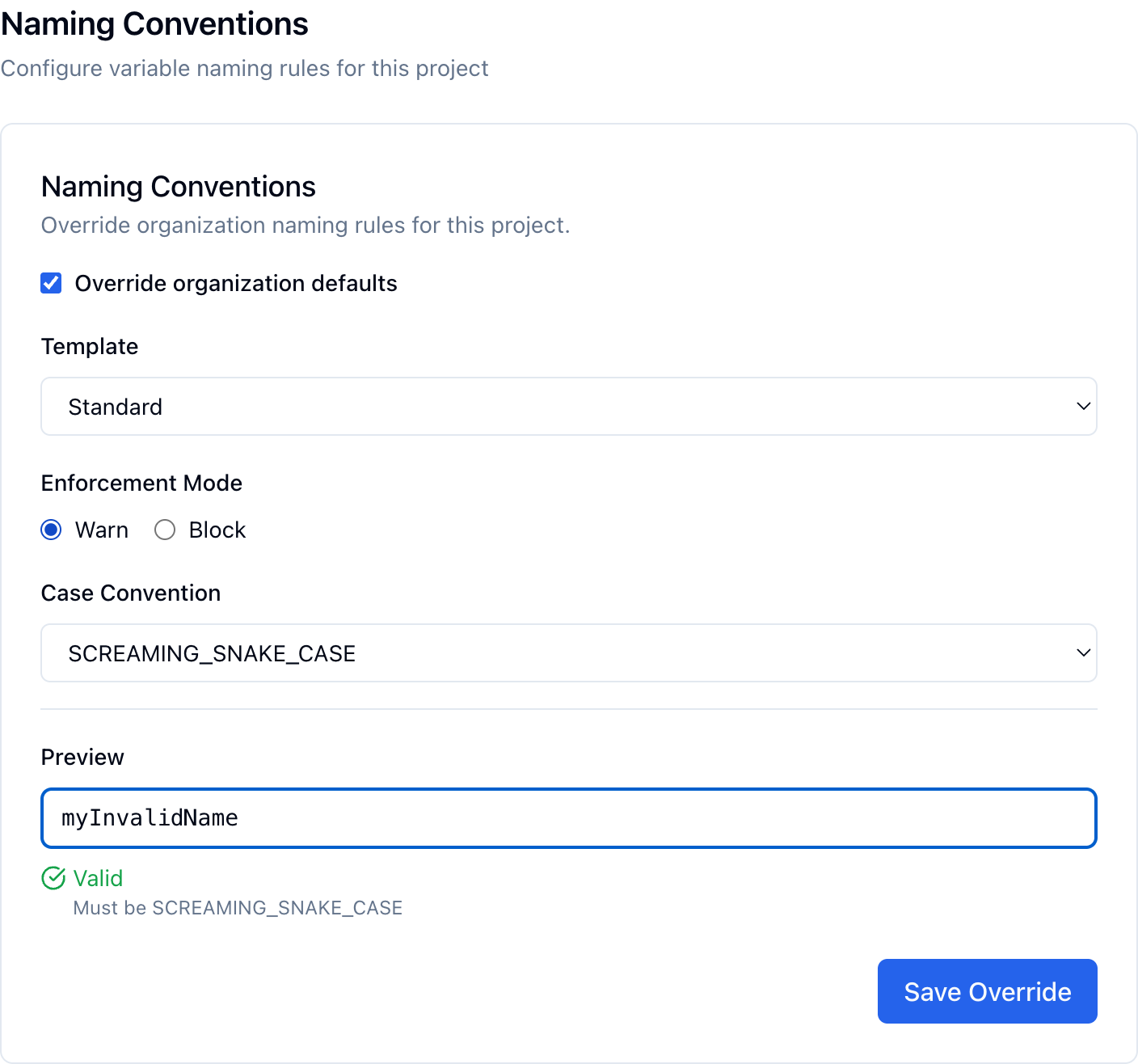
The preview instantly shows validation feedback, including suggestions for fixing the name.
Available Rules
Case Convention
Controls the letter casing format:
| Convention | Example | Description |
|---|---|---|
SCREAMING_SNAKE_CASE | API_HOST | Uppercase letters with underscores — the industry standard |
snake_case | api_host | Lowercase letters with underscores |
PascalCase | ApiHost | Each word capitalized, no separators |
camelCase | apiHost | First word lowercase, rest capitalized |
Required Patterns
Regex patterns that variable names must match. Useful for enforcing prefixes:
^NEXT_PUBLIC_— All names must start withNEXT_PUBLIC_^VITE_— All names must start withVITE_
Forbidden Patterns
Regex patterns that variable names must not match. Useful for preventing common mistakes:
^password$— Prevent using "password" as a variable name^secret$— Prevent using "secret" as a variable name
Tips
Start with the Standard template. SCREAMING_SNAKE_CASE is the most widely used convention for environment variables and works with virtually every framework and deployment platform.
- Use Warn mode first — Start with warnings to see how your existing variables compare before switching to Block mode
- Set rules at the organization level — This gives all projects a baseline, and individual projects can override when needed (e.g., a Next.js project requiring the
NEXT_PUBLIC_prefix) - Test before enforcing — Use the preview field to check a few of your existing variable names before switching to Block mode
Next Steps
Variables Overview
Learn the basics of creating and managing variables.
Variable References
Use ${VAR} syntax to reference other variables.
Fallback Values
Set default values that activate when the main value is empty.