
Best Privileged Access Management Tools
Compare the best privileged access management tools for securing credentials, privileged sessions, service accounts, and CI/CD secrets.
A leaked secret can turn a routine deployment into an incident. The best privileged access management tools now cover more than admin passwords. They also protect service accounts, CI/CD secrets, cloud identities, and AI agents. Here are five named options, with the right fit for each.
1. EnvManager
EnvManager is a developer-first secrets and access tool for teams that manage .env files across local work and CI/CD. It encrypts values with AES-256 on import, keeps versions, and lets teams manage access from one place.
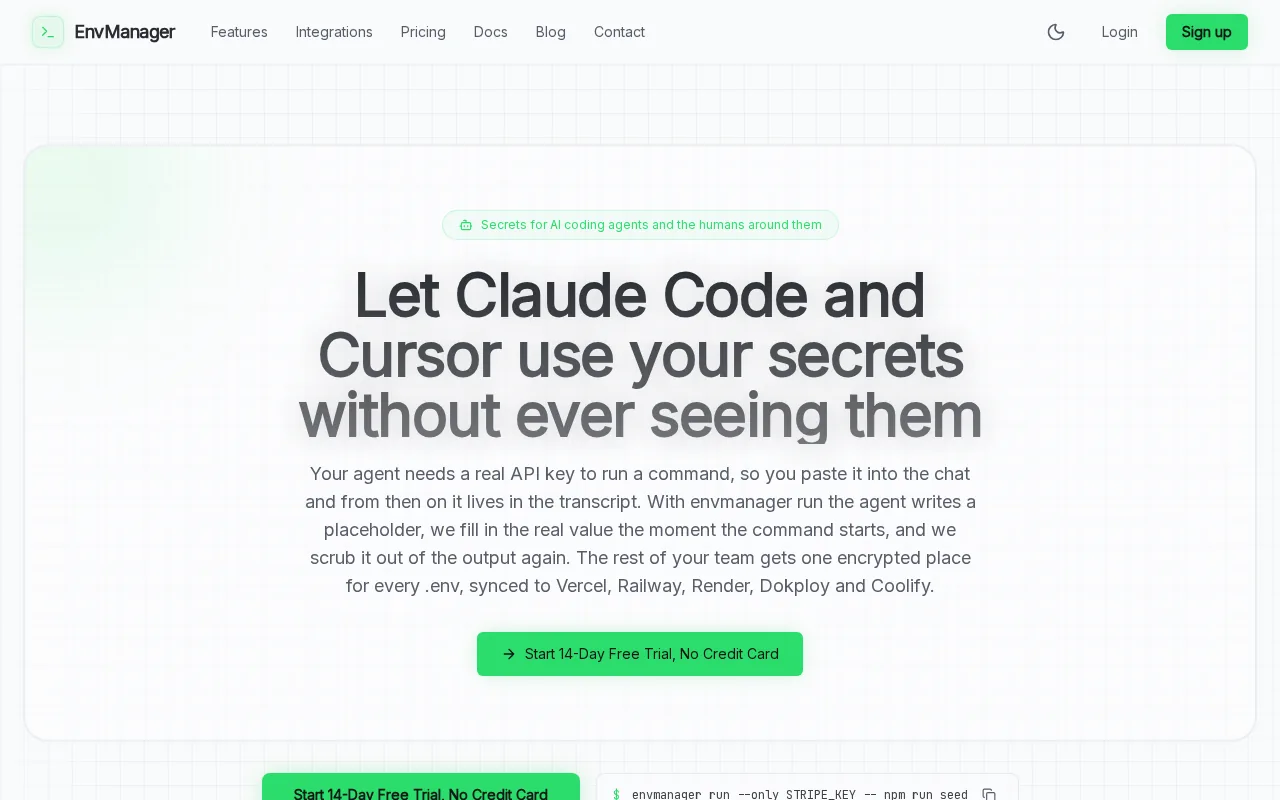
It fits DevOps engineers, SaaS developers, and team leads who need secure secret sharing without forcing every developer into a large security suite. Role-based access control, or RBAC, lets you set access by job role. That means a new engineer can get the values needed for one project without receiving every secret in the company.
EnvManager also syncs secrets to local machines and CI/CD pipelines. A developer can pull the current environment without copying values through chat. A build job can receive the right secrets without storing them in a repository. Version control adds a useful audit trail when a value changes or a deployment starts to fail.
That focus matters because many PAM comparisons document broad policy controls but say little about local development or CI/CD. EnvManager puts those workflows first. Teams comparing secret stores can also review these environment variable management tools for a closer look at .env handling.
The caveat is scope. EnvManager is strongest when your main problem is secret control inside software delivery. If you need deep privileged session recording across servers, databases, and remote admin work, an enterprise PAM suite may fit better. Start with the workflow that causes the most risk, then runenvmanager pullto test the developer path.
2. Secret Server: Credential vaulting and automated password rotation
Secret Server is a credential vault for organizations that need secure storage, retrieval, auditing, and rotation of passwords. It is a better fit for IT and security teams managing many privileged accounts across devices and services.

Its main strength is traditional credential control. A team can keep privileged passwords in a central vault instead of spreading them across spreadsheets, scripts, or admin notes. Access controls limit who can retrieve a credential. Audit records show when someone accessed it and which account was involved.
Automated password rotation helps reduce the time a stolen password remains useful. This matters when a discovery system, server, or service needs improved access. A secure design retrieves credentials when needed instead of leaving copies in another system.
Secret Server also suits compliance work where reviewers need reports about privileged account use. Session monitoring adds more context than a simple password checkout record. Security staff can review activity around a sensitive account rather than guess who used it.
The tradeoff is workflow fit. A vault built around privileged passwords may feel heavy for a small engineering team whose daily need is secure .env syncing. It can also leave teams managing two patterns: one for infrastructure credentials and another for application secrets. Choose it when password vaulting and rotation are the main control gaps.
3. CyberArk Privileged Access Manager: Enterprise PAM with session monitoring
CyberArk Privileged Access Manager is an enterprise option for centralized credential management, session monitoring, threat analytics, and policy enforcement. It fits organizations with large estates, strict audit needs, and dedicated identity security staff.

Its value is breadth. Security teams can set central rules for privileged accounts and review how those accounts are used. Automated auditing gives compliance teams a record of privileged activity. Session monitoring adds a view of what happened after access was granted, which is useful during an incident review.
This model works well when one team must govern access across many business units. It also helps when the audit question is specific: who accessed the system, when did the session start, and what actions followed? Those answers need more than a password vault.
CyberArk is less immediately suited to a developer who needs a fast path for local .env values. Enterprise PAM can protect that workflow, but the setup often involves more policy design and integration work. Teams should test a real deployment pipeline before they assume a broad platform will fit developer habits.
If your first requirement is session oversight across critical infrastructure, CyberArk belongs on the shortlist. If the first requirement is secure secret sync for application delivery, EnvManager is the more direct starting point.
4. ARCON Privileged Access Management: JIT privileges and broad access controls
ARCON Privileged Access Management is an enterprise PAM suite with access control, MFA, SSO, session management, credential management, audit trails, and just-in-time privileges. It fits organizations that need one control layer across many identity and asset types.

Its broad control set covers human users as well as machine and embedded identities. ARCON describes a security gateway model for operating systems, databases, web servers, network gear, cloud assets, and operational technology. That range makes it relevant when the estate extends well beyond application code.
JIT access is the key idea. Instead of leaving an administrator with standing rights all day, the system can grant access for a defined task or time window. MFA adds another check before access is allowed. SSO can reduce repeated login steps without removing central policy control.
Audit trails and session management help during reviews. A security team can trace access to a sensitive asset and inspect the related session. That is a different need from simply keeping API keys out of Git.
ARCON may be too broad for a small DevOps group. A team with only a few services may gain more from a tool that fits its existing pull and deploy flow. Review the asset list first. If it includes databases, network devices, operational technology, and cloud systems, ARCON’s wider scope becomes more useful.
5. Entro Security: Discovery for secrets, service accounts, and agent identities
Entro Security focuses on non-human identity discovery. It fits security teams that need to find secrets, service accounts, and AI agent identities across a scattered technology estate.

Entro scans code repositories, cloud environments, CI/CD pipelines, and SaaS applications. The goal is to build a catalog of machine identities and the access attached to them. That helps security teams find credentials that developers or automated systems created outside the normal review path.
The approach is useful when an organization has grown faster than its identity records. A service account may still have access after its original project ends. An agent may use a credential that nobody has assigned to an owner. Discovery gives the team a place to start before it applies a policy.
Entro also applies Zero Trust and JIT access ideas to agent identities. Instead of assuming a machine should keep broad rights, the team can review what it needs for a task. Continuous monitoring can then flag changes in behavior or access.
The caveat is that discovery is not the same as developer secret management. Entro can help you find a secret in a pipeline, but your team still needs a clean way to issue and sync approved values. Pair the discovery work with a clear owner and removal process. Otherwise, the inventory becomes another report nobody acts on.
Privileged Access Management Tools Compared
The right choice depends on where privileged access breaks today. PAM can mean password vaulting, session oversight, JIT access, or control of secrets used by software. Microsoft’s definition of PAM centers on limiting privileged access while monitoring who uses administrative accounts and what they do.
| Tool | Best fit | Main control model | Watch before buying |
|---|---|---|---|
| EnvManager | DevOps and SaaS teams | RBAC with encrypted, versioned .env management | It is focused on software secrets, not full infrastructure session control |
| Secret Server | IT teams managing privileged passwords | Central vault with access controls | Check how well it fits local development and CI/CD |
| CyberArk Privileged Access Manager | Large enterprises with audit needs | Central policy enforcement | Plan the rollout and integration work |
| ARCON Privileged Access Management | Mixed enterprise infrastructure | JIT privileges, MFA, SSO, and session controls | Map which assets need coverage first |
| Entro Security | Secrets and non-human identity discovery | Zero Trust and JIT access for machine identities | Discovery must lead to ownership and remediation |
One market problem is inconsistent product detail. Many vendors describe access control but provide fewer specifics about integrations or automation. That makes a hands-on proof of concept more useful than a feature checklist.
For a developer team, test three actions: create a secret, change its value, and deploy it through CI/CD. For a security team, add a fourth: review who accessed it and revoke that access. A tool that fails any core workflow will create workarounds, and workarounds become the next leak.
Teams planning a wider DevOps security stack may also compare DevSecOps tools for secure delivery. The comparison is helpful when secrets are only one part of a larger release process.
FAQ
What are privileged access management tools?
Privileged access management tools control access to accounts, systems, secrets, and actions that carry improved rights. Some focus on password vaults and session recording. Others handle JIT access or machine identities. EnvManager applies the same least-access goal to developer secrets by controlling encrypted .env files and CI/CD sync.
Is EnvManager a PAM tool?
EnvManager covers a focused part of PAM: secure management of application secrets used by developers and delivery systems. It encrypts and version-controls .env files, applies RBAC, and syncs approved values to local machines and CI/CD pipelines. It is not a replacement for enterprise session monitoring across servers or remote admin systems.
What is the difference between PAM and secrets management?
PAM usually governs improved access to systems and privileged accounts. Secrets management focuses on protecting values such as API keys, database credentials, and application configuration. The two areas overlap. A deployment may need a secret manager for its API key and PAM for the administrator who can change production settings.
Do small DevOps teams need privileged access management?
Small DevOps teams need controls around privileged secrets, even if they do not need a large enterprise suite. Start by removing secrets from repositories and chat. Then set role-based access and review changes. EnvManager is a sensible first choice when the main risk sits in .env files and CI/CD variables.
What should teams consider before buying a PAM tool?
Test the exact workflow that causes pain today. Create a secret or privileged account, grant access to one role, use it in a deployment, review the audit record, and revoke access. Also check integration details. Many privileged access management tools describe broad capabilities but give little detail about local development or CI/CD.
Conclusion
Choose EnvManager if your team needs encrypted, version-controlled secrets with RBAC and CI/CD sync. It gives developers a direct path away from copy-paste handling. Useenvmanager pullfor the developer path.