How to Use Python Environment Variables
Learn how to read, set, validate, and secure python environment variables locally, in .env files, and across production deployments.
Hard-coding an API key puts a secret in the same place as your code. Python environment variables keep configuration outside the code, but only when you set them up with care. This guide shows you how to read values, set them locally, load a .env file, validate types, and move secrets into production safely.
We reviewed three public datasets on leaked secrets and credential breaches, covering 450,000 scanned PyPI packages and 23.8 million exposed GitHub secrets. GitGuardian's 2025 sprawl report found secrets in 4.6% of public GitHub repositories. Its PyPI scan with researcher Tom Forbes found unique secrets in 2,922 of the 450,000 packages checked, some traced to leftover.env content. Verizon's 2025 report lists stolen credentials as the entry point in 22% of breaches, the exact risk.env discipline is meant to close.
Step 1: Read Environment Variables in Python
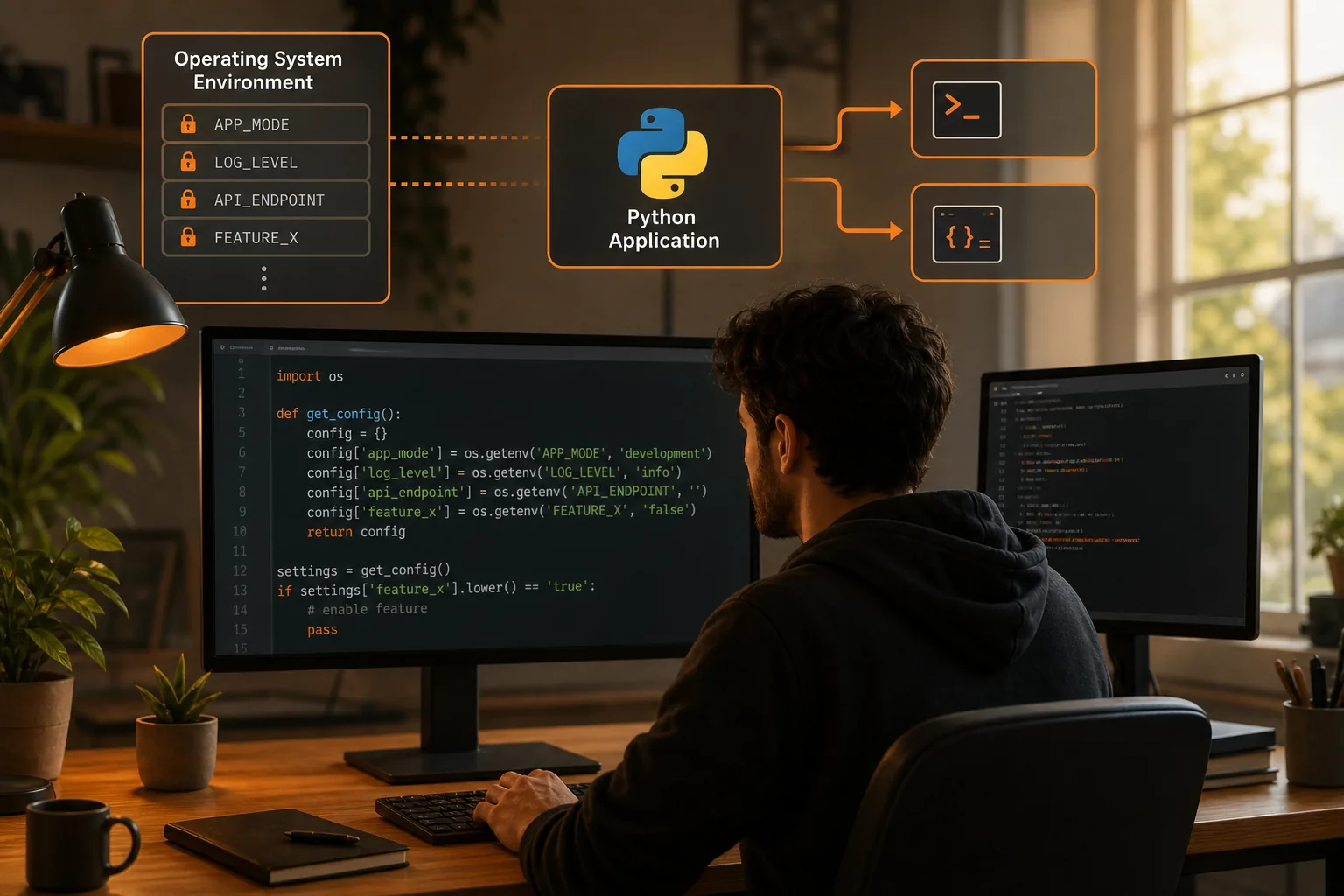
Python environment variables are available through the built-inosmodule. Useos.environwhen you need dictionary-style access, or useos.getenv()when a missing value should return a default.
import os api_key = os.environ["API_KEY"]
region = os.getenv("AWS_REGION", "us-east-1") print(region)
The square-bracket form raisesKeyErrorifAPI_KEYdoes not exist. That is useful for required settings. Thegetenv()form lets your program keep running when a setting is optional.
Keep the two cases clear. A database password should usually fail fast when it is missing. A log level can have a safe default. The environment mapping connects your process with the operating system environment.
Environment values arrive as strings. That means this code does not produce an integer:
port = os.getenv("PORT")
print(type(port)) # str
Convert the value at the boundary of your app instead:
port = int(os.getenv("PORT"))
debug = os.getenv("DEBUG", "false").lower() == "true"
Do not print all environment variables while debugging. A dump can expose tokens in terminal history, CI logs, or error reports. Print the variable name and a safe status instead.
If you want a focused comparison ofos.environandos.getenv(), to reading Python environment variables with os.environ and dotenv. It helps when you need to choose one access pattern for a shared codebase.
Step 2: Set Environment Variables for Local Development
Local Python environment variables belong to your shell or development tool, not your source code. Set a value before launching the process that needs it.
Linux and other Unix-like shells
For one command, place the assignment before the command:
API_URL="https://api.example.test" python app.pyThe value applies to that process. It does not remain in your next terminal command. This is a good choice when you want a test setting for one run.
For the current shell session, export the value:
export API_URL="https://api.example.test"
python app.py
Close the terminal and the exported value disappears. To make a non-secret setting available in future sessions, add it to the shell file your system loads at startup. Be careful with secrets. Shell history and dotfiles can become new places where a credential sits in plain text.
Windows PowerShell
PowerShell uses the$env:prefix:
$env:API_URL = "https://api.example.test"
python app.py
To remove it from the current PowerShell session, run:
Remove-Item Env:API_URLPowerShell environment changes affect the current process and programs launched from it. They do not rewrite Python code. For a single command, you can set the value, run the command, then remove it in the same script or session. The PowerShell process-scope discussion covers the difference between temporary values and persistent settings.
On any operating system, test the setting before blaming Python:
python -c "import os; print(os.getenv('API_URL'))"That command checks the environment seen by Python. If it printsNone, the issue is in the shell, launch configuration, or working process. It is not a missing import.
For Windows-specific persistence rules, our guide to setting environment variables in Windows covers the differences between a session value and a system value. Start with session-scoped values while testing. Persist only what your team actually needs.
Step 3: Load Variables from a .env File
A.envfile gives local development a repeatable way to load Python environment variables. It is a convenience for development, not a magic vault.
A simple file might look like this:
APP_ENV=development
PORT=
DATABASE_URL=postgresql://localhost/app
API_KEY=replace-me-locally
Keep the file out of version control:
.env
.env.*
!.env.example
Commit a safe template instead:
APP_ENV=development
PORT=
DATABASE_URL=
API_KEY=
The template tells a new developer which names the app expects. It should not contain a working password or token.
A dotenv package can read the file and place its values into the process environment. The basic pattern looks like this:
from dotenv import load_dotenv
load_dotenv()
Install the package in your project environment before running this code:
python -m pip install python-dotenvLoad the file early, before modules build clients or read settings. Otherwise, one module may see the values while another module has already used empty defaults.
Also decide which source wins when the same name appears twice. A shell value may need to override a local file. That choice should be documented because hidden precedence rules cause hard-to-reproduce bugs.
Environment variables are a standard configuration pattern because the application can change settings without changing its code. For related discussion, see this discussion.
For a solo project, a local file may be enough. For a team, repeated copying creates drift. EnvManager encrypts .env values on import, keeps versions, applies role-based access, and syncs secrets to local machines or CI/CD pipelines. That gives each environment a shared source instead of another message containing a secret.
Step 4: Validate, Convert, and Manage Variable Precedence
Python environment variables are untyped strings, so validate them before your application starts serving traffic. A typo inPORTshould stop startup with a clear message.
Convert values explicitly
import os raw_port = os.getenv("PORT", "")
try: port = int(raw_port)
except ValueError as exc: raise RuntimeError("PORT must be a whole number") from exc if port < 1: raise RuntimeError("PORT must be a positive whole number")
Boolean values need special care. In Python,bool("false")is true because the string is non-empty. Parse accepted words instead:
def read_bool(name, default=False): value = os.getenv(name) if value is None: return default if value.lower() in {"1", "true", "yes"}: return True if value.lower() in {"0", "false", "no"}: return False raise RuntimeError(f"{name} must be true or false")Choose a clear precedence order
A useful local order is:
- Explicit process or shell values.
- Values loaded from a local
.envfile. - Safe defaults for non-secret settings.
Production should use a secret store or deployment setting instead of copying a local file to a server. Document the order in your README and test it. A developer should know why a shell value differs from the file value.
For larger settings objects, use a typed configuration layer. A schema can check required fields at startup and give the editor useful type information. Keep that layer in one module, then pass a settings object into the rest of the application.
Finally, test missing values, malformed numbers, invalid booleans, and conflicting sources. Configuration bugs are cheap to catch before deployment.
Step 5: Secure Python Environment Variables in Production
Production Python environment variables should come from the deployment system or a secret manager. Do not ship a developer’s.envfile with the application image.
Separate ordinary configuration from secrets. A port number or feature flag may be low risk. A database password, signing key, or cloud token needs tighter control.
Protect the secret lifecycle
Use this sequence:
- Store the value in a controlled secret system.
- Grant access to the service identity that needs it.
- Inject it at process start or through the platform configuration.
- Keep it out of source control, build logs, and error messages.
- Rotate it when access changes or exposure is suspected.
Azure Functions, for example, supports application settings that your code can read as environment variables.
Do not assume that environment variables are encrypted everywhere. The security of the value depends on the host, deployment path, logs, process access, and storage layer. A plain .env file on a laptop has a different risk profile from a managed secret injected into a production process.
Control team access
Shared files break down when several developers deploy the same service. Someone may keep an old copy. Someone else may paste a new value into a CI setting. Nobody can easily answer who changed it.
EnvManager is built for this handoff. We encrypt values with AES-256 on import, apply RBAC, keep an immutable audit trail, and provide CI/CD hooks. JIT access can limit a person’s access window, which reduces standing access during routine work. Version control exclusion keeps managed .env files away from the repository.
Those controls matter during an audit. You can ask who had access, which value changed, and when a pipeline received the update. EnvManager also provides a 14-day free trial without a credit card, so a team can test the workflow before making it part of deployment.
Research gathered across 20 environment-variable tools found that public documentation often leaves these controls unclear. Encryption at rest was explicitly confirmed for one entry, while RBAC and CI/CD support appeared in only three. Treat missing documentation as a question to resolve, not as proof that a tool lacks the feature.
Keep production logs clean
Never log the full environment. Redact authorization headers and connection strings before exceptions reach a log service. Check build output too. A command that echoes a secret can expose it long after the deployment succeeds.
Start with one service. Move its local file into a controlled workflow, test a non-production deployment, then apply the same pattern to staging and production. Runenvmanager pullonly where the developer or pipeline has permission to receive the needed values.

FAQ
How do I read environment variables in Python?
Useos.getenv("NAME")for an optional value oros.environ["NAME"]for a required value. Both return strings. Convert numbers and booleans yourself before using them. If a required setting is missing, fail during startup with a message that names the missing variable without printing its secret value.
How do I set an environment variable for Python?
Set it in the shell before launching Python. In a shell, useNAME=value python app.pyfor one command. In PowerShell, use$env:NAME = "value". The setting reaches Python through the process environment and does not automatically become permanent.
Should I put secrets in a .env file?
A .env file can work for local development, but it should not be committed or treated as a secure vault. Add it to your ignore rules and use a safe .env.example template. For shared development and production, use controlled storage with access rules, audit records, and a defined sync path.
Why does Python see my environment variable as a string?
Operating systems expose environment values as text, so Python receives strings even when a value looks like a number. Convert it withint()orfloat(). Parse booleans with accepted words such astrueandfalse; do not usebool(value)for text.
Are environment variables secure in production?
They can be safer than hard-coded secrets, but security depends on how the host stores and injects them. Keep secrets out of source control and logs. Limit access by service and role. For teams, use a managed workflow such as EnvManager instead of passing .env files through chat or email.
Conclusion
Useos.environoros.getenv()to read settings, validate them at startup, and keep local files outside version control. When several people or pipelines need the same secrets, move the workflow into EnvManager. Your next step is simple: add a safe .env.example file, test one service, then set a clear production source for every required variable.